Here’s the no-fluff guide to starting your GoHighLevel free trial—whether you’re seeing 14 days, aiming for the official 30-day trial, or looking for a legit extended option.
I buy every tool I recommend, and I’ve tested these paths myself, documenting the exact steps, so you can activate the best offer for your situation without guesswork or surprise charges.
What you’ll get here (fast):
- The official 30-day route for Starter & Unlimited
- A special partner promo path to try SaaS Pro
- Clear steps to activate + avoid billing gotchas
- A simple comparison (14 vs 30 vs extended) and FAQs that answer what people actually ask
- Optional bonuses I unlock when you start your trial via my links
Start now:
If you want the deeper context—when you’ll see 14-day vs 30-day, how “extended” really works, and what to set up in your first 15 minutes—keep scrolling. New to HighLevel and want the bigger picture first? See What is GoHighLevel. Prefer to jump straight to setup? Use the TOC below and follow my step-by-step instructions in this guide.
GoHighLevel 14‑Day Trial

The GoHighLevel 14‑day trial is the standard offer many visitors see by default. It’s enough time to validate the basics—pipelines, automations, calendars, forms, funnels, and a simple lead‑nurture flow—without committing yet.
If you’re moving fast or testing a single use case (e.g., pipeline + calendar + SMS/email), 14 days can be plenty.
When you’ll see 14 vs 30 days:
- Some entry points, ads, or pages default to 14 days.
- The 30-day option is available through partner promotions and is recommended if you need extra time to set up multiple workflows or involve a team.
What to expect during 14 days:
- Full platform access for setup and testing (core CRM/automation features).
- Ability to connect channels (email/SMS/phone) and start collecting payments.
Prefer more time? Jump to the 30‑day path with the button below, or see the Extended Trial section next.
GoHighLevel 30‑Day Trial (Official)
If you need more time than 14 days, the GoHighLevel 30-day trial is your best option.

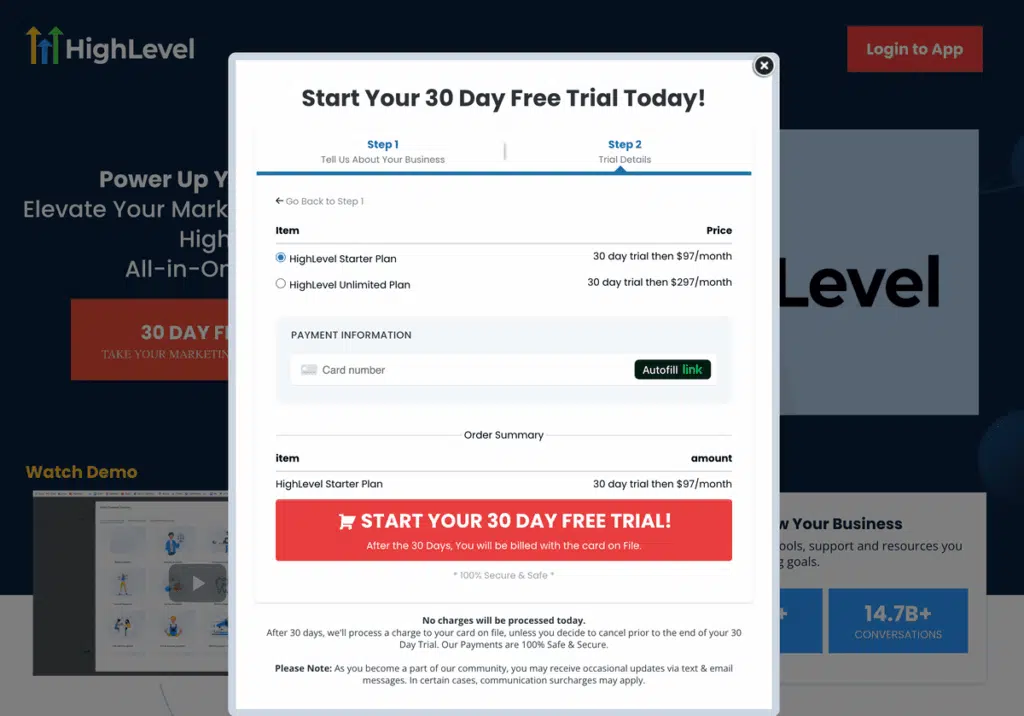
Using the official 30‑day link, you can start a longer trial on Starter or Unlimited—ideal if you’re migrating data, coordinating with a small team, or testing multiple workflows (funnels, calendars, automations, pipelines) before paying.
Who the 30‑day free trial is perfect for:
- New users who want time to build a real use case (not just click around).
- Agencies/consultants validating client snapshots and workflows.
- Teams that need stakeholder sign‑off before billing starts.
How to activate the 30‑day trial (quick steps)
- Click Start 30‑Day Trial.
- Create your account and choose Starter or Unlimited.
- Review the checkout page to confirm your trial duration and the date of your first charge.
- Complete signup.
Prefer to try higher-tier plans via a partner promo? See the Extended Trial section next for that path.
GoHighLevel Extended Trial (Explained)
When people say “GoHighLevel extended trial,” they typically mean getting more than the default 14 days or accessing a higher‑tier plan during the trial. In practice, “extended” most often refers to the official 30-day path (Starter & Unlimited) or a partner promotion that allows you to try SaaS Pro upfront at no cost.
Two legit “extended” paths
- 30‑Day Official Route (Starter & Unlimited): Ideal if you’re migrating data, testing multiple workflows, or coordinating with a team.
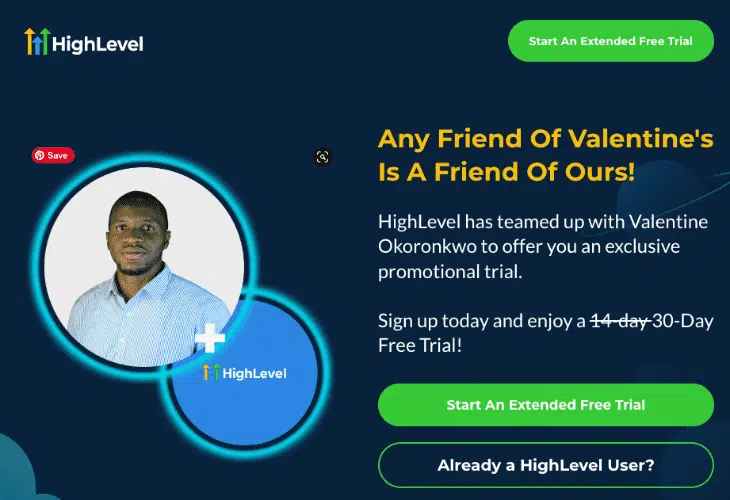
- Partner Promos (SaaS Pro): Use my partner promo link to start on SaaS Pro directly—great for agencies and power users who want to validate SaaS Mode capabilities early.
What to expect
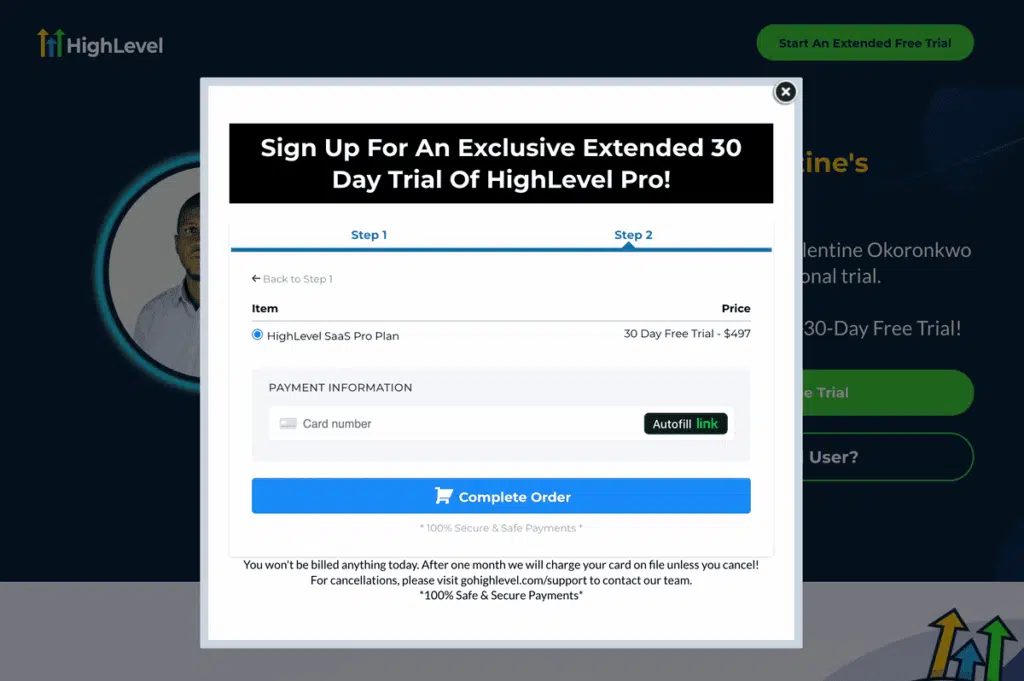
- You’ll still enter billing details (standard practice); you won’t be charged until the posted first billing date.
How to use the partner promo
- Click Try SaaS Pro (Partner Promo).
- Create your account and select SaaS Pro.
- Complete signup.
Deal-hunting? See current GoHighLevel discounts.
GoHighLevel 14 vs 30 vs Extended (Quick Comparison)
Skim this table to choose the right path, then use the promo links to activate.
| Option | Eligible Plans | Typical Availability | How to Access | Best For |
| 14‑Day | Starter & Unlimited (typical) | Default entry points, select pages/ads | Standard signup flow | Solo testers, quick validation of 1 use‑case |
| 30‑Day (Official) | Starter & Unlimited | Official 30‑day link | Click Start 30‑Day Trial | New users, small teams, migrations, multi‑workflow testing |
| Extended (Promo) | SaaS Pro | Partner/promo campaigns (limited) | Click Try SaaS Pro (Partner Promo) | Agencies/power users validating SaaS‑mode features early |
How to Activate Your GoHighLevel Trial (Step‑by‑Step)

Follow these steps to unlock the right GoHighLevel trial in minutes.
Step 1: Choose your plan for the trial
- Want to test a use case? Go with GoHighLevel’s default 14-day trial.
- If you need more runway, select Starter or Unlimited on the 30‑day path.
- If you want to evaluate white-label features, select SaaS Pro via the partner promo path.
Step 2: Create your account
Enter your name, business email, and company details. Use a work email you’ll keep long‑term so system notifications and verifications don’t get lost.
Step 3: Enter billing details (standard practice)
GoHighLevel requires a card to start the trial. You will not be charged until the first billing date posted on checkout. Using a real card (not prepaid/virtual) reduces verification hiccups.
Step 4: Confirm trial length & first billing date
Before you click “Start,” review the checkout panel for: (a) trial length (14 vs 30 vs promo), (b) first billing date, and (c) plan name. If anything looks off, go back and re‑select the correct path.
Step 5: Set a reminder 48–72 hours before the end
Create a calendar reminder with the exact end date. Decide whether you’ll switch plans, continue, or cancel.
Pro tips
- Map one outcome per week: Week 1 pipeline; Week 2 calendar + forms; Week 3 automations; Week 4 reporting + handoff.
- Use a prebuilt snapshot to avoid blank‑page syndrome.
- Unsure between plans? Start with Unlimited for testing, then switch before the trial ends if you need to reduce cost.
- Invite teammates early so you use the trial time efficiently.
What’s Included in the GoHighLevel Free Trial
During the trial, you can build and test a real workflow—not just a demo account. Expect full access to the core platform so you can:
- Capture & manage leads with pipelines, tasks, notes, and deal stages.
- Build funnels & websites with forms/surveys, pop‑ups, and simple checkouts. (If you only need funnels and landing pages, see my best white‑label funnel builders roundup.)
- Book appointments using calendars (round‑robin/team options available by plan).
- Automate follow‑ups across email, SMS, and calls.
- Track deals with basic reporting and attribution.
- Invite teammates to collaborate (user counts vary by plan).
Plan‑level realities to keep in mind
- Starter is great for single-brand use; it typically includes up to three sub‑accounts—plenty for a main brand plus a couple sandboxes.
- Unlimited unlocks unlimited sub‑accounts and advanced options (API, branded desktop app, etc.).
- SaaS Pro adds SaaS Mode tools for packaging/selling HighLevel as your own platform.
Usage‑based costs still apply. Trials generally require a card to start, and metered channels (email/SMS/voice) are billed per usage or credit packs. Turn on only what you need for testing, and set sending limits while you validate.
For strengths, trade-offs, and real-world notes, see my full GoHighLevel review.
Gotchas to Avoid During Your Trial
A few small oversights cause most trial headaches. Here’s how to dodge them.
1) Usage‑based charges still apply
Email/SMS/voice can incur per‑use fees/credits even during a trial. Turn on only what you need, set send limits, and warm up gradually. See the official HighLevel Pricing Guide on usage and wallets.
2) Plan switching has a deadline
If you plan to test on Unlimited, then downgrade to Starter; do it before the trial ends so your new pricing applies on day one of billing. Re‑check sub‑account/user limits after switching.
3) Don’t assume “extended” everywhere
Entry paths differ. If you expect 30 days (or promo terms), verify it on checkout before you proceed. If it shows 14, go back and start from the correct path.
4) Cancel path is simple—but do it early
You can cancel inside your account (Billing/Subscription area; wording can vary). Do it a day early if you’re not continuing. Export critical assets first (contacts, snapshots, forms, funnels) so nothing is stranded. If HighLevel isn’t a fit, compare the best GoHighLevel alternatives.
5) Avoid last‑minute setup
Domains, email verification, and phone provisioning can take time. Start these on day one so you’re not forced into extra days.
Quick checklist before the end date
- Confirm plan and billing date
- Decide: continue, switch, or cancel
- Export data/snapshots
- Review channel usage and limits
What to Do in Your First 15 Minutes (So the Trial Actually Pays Off)
Give yourself a quick win on day one. Run this 15‑minute checklist to turn a blank account into a working demo you can show a teammate or client.
- Import a snapshot + name your account
Pull in a snapshot/template (funnels, forms, automations). Name your sub‑account clearly (Brand — Environment) and add your logo. - Connect channels (LC Email & LC Phone)
Set a verified sender for LC Email and claim a number for LC Phone. Keep initial sending modest. Need help? Follow the LC Email/Phone setup hub and DMARC guide. - Publish a capture point
Launch a simple lead form or landing page from the snapshot and place a calendar on the thank‑you page. - Create a basic pipeline & workflow
Pipeline (New → Qualified → Booked → Won). Workflow: on form submit → create contact → add to pipeline (New) → send confirmation → notify you. - Test end‑to‑end + note tweaks
Submit the form, book a test appointment, and confirm the workflow fires and stages update. Need a full walkthrough? See the signup/getting‑started guide.
Get My Bonuses When You Start Your Trial
When you start your GoHighLevel trial through my affiliate link, I unlock a premium bonus stack built to remove the “blank‑page” problem and help you launch something real in days—not weeks.

How to Claim Your Bonuses (quick steps)
- Start your 30-Day Free Trial: Use the official 30-day promo link for Starter/Unlimited, or my special partner promo link if you want to test Pro/SaaS Mode (you should see 30 days at checkout; a card is required).
- Email your proof to [email protected] with the subject: GHL Bonus Claim — and attach your GHL receipt or Welcome email.
- I’ll provision access within 24 hours and send instructions. If it’s the weekend, you’ll still get a confirmation/ETA.
Heads-up: Bonuses are for new signups tracked to my affiliate links; ongoing access requires an active paid subscription under my account. Fair‑use applies. 👉 See everything included and the terms on my bonuses page.
FAQs
Offer Changes & Transparency
Trial offers and eligibility can change. I re‑verify links and terms frequently, but the checkout page will show your trial length and first billing date. Usage‑based channels (email/SMS/voice) may incur costs during the trial.
Affiliate disclosure: If you start your trial through my links, I may earn a commission at no extra cost to you. It helps fund PassiveSecrets. I only recommend tools I personally test. Want third-party opinions about GHL? See recent HighLevel reviews on G2.
Bonuses: For new signups tracked to my links; ongoing access requires an active paid subscription under my account. Fair‑use applies. Want to promote HighLevel? Affiliate program details.
Final Notes
You’re ready. Pick the path that fits your goals.
- Start 30‑Day Trial (Starter & Unlimited): official promo link
- Try SaaS Pro for 30 days free: special partner promo link
Quick reminder: After starting your trial, forward your receipt to [email protected] with the subject GHL BONUS CLAIM to unlock your bonuses.